
Guides
How Much Does AI Video Cost? Pricing Breakdown
How much does AI video cost in 2026? Honest pricing breakdown: subscriptions, per-video costs, free tiers, and what creators actually spend per month.
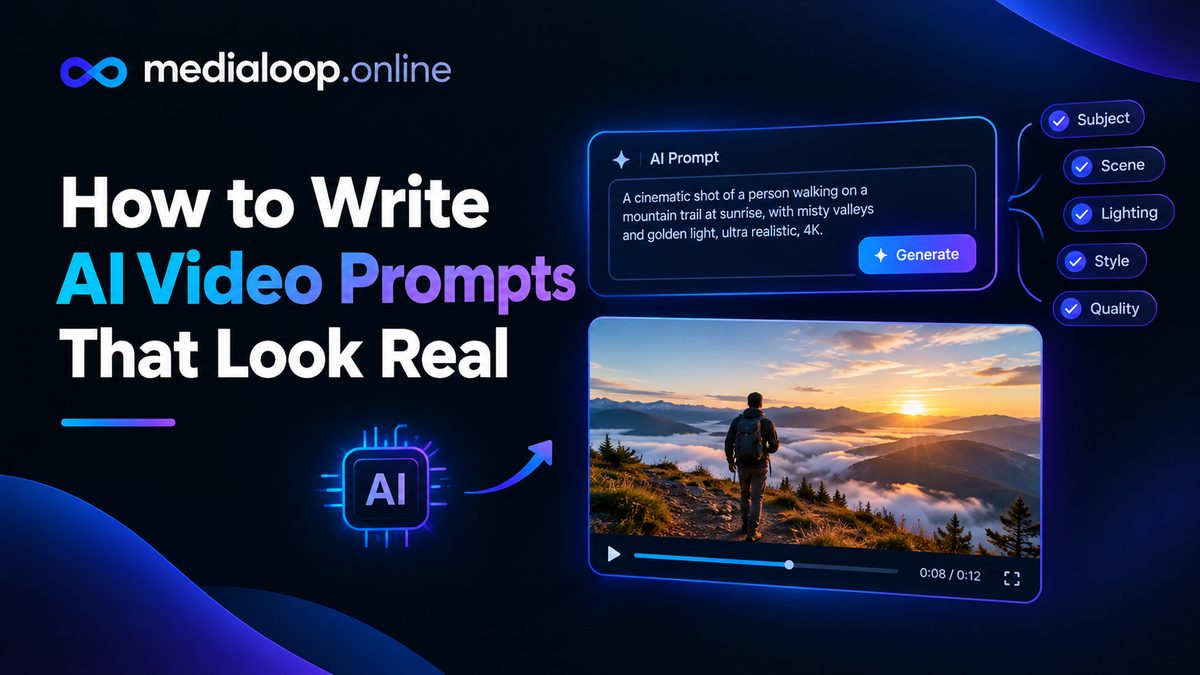
The difference between AI video that looks like a glitchy dream and AI video that passes for real footage is rarely the tool. It's the prompt. Two creators can use the same generator with the same subject and get wildly different results — the one who understands prompting craft gets usable footage; the other gets melting faces and impossible physics.
This guide teaches that craft. It applies to every major text-to-video tool (Veo, Kling, Runway, and the rest), because they all respond to the same fundamentals: a clear subject, deliberate motion, camera language, lighting, and knowing what to exclude.
Weak prompts fail in predictable ways:
The fix is a simple mental model: describe a shot, not a scene. Think like a cinematographer framing 3–5 seconds of film.
Every strong prompt covers these five elements, in roughly this order:
Generic subjects get generic results. Replace every vague noun with a concrete one:
Include age cues, clothing, and one distinguishing detail. You don't need a novel — one precise sentence beats three vague ones.
This is where most prompts go wrong. The model needs to know what moves, how, and how much:
Rules of thumb:
Camera language is the single highest-leverage addition to a prompt. Learn these terms and use them:
Example upgrade:
Static or slow-moving cameras produce the most reliable results. Save the dramatic crane shots for after you've mastered the basics.
Lighting does more for perceived realism than almost anything else. Always include it:
"Golden hour sunlight raking across the scene, long soft shadows" will improve nearly any outdoor prompt. "Soft window light, gentle fill" does the same indoors.
End prompts with a style anchor, but choose honest ones:
One or two anchors. "Photorealistic, natural lighting" is enough.
Many tools support negative prompts — things you explicitly don't want. Use them to preempt the most common AI artifacts:
deformed hands, extra fingers, morphing faces, warping background,
flickering, oversaturated colors, cartoon look, watermark, text, blurry
A reusable negative prompt you can paste into any tool that supports it:
extra limbs, deformed hands, morphing face, unstable background,
flickering lights, oversaturated, plastic skin, cartoon, illustration,
watermark, logo, text overlay, blurry, low quality
Not every tool exposes negative prompts, but when available, they're free quality.
Example 1 — Product shot (skincare serum):
Extreme close-up of a frosted glass serum bottle on a marble bathroom
counter, morning window light creating soft highlights on the glass,
a single water droplet sliding slowly down the bottle, shallow depth
of field, background softly blurred towels, photorealistic, natural colors.
Static camera.
Why it works: one subject, one small motion (the droplet), specified light, static camera, photographic anchor.
Example 2 — Lifestyle b-roll (coffee shop):
Medium shot, eye-level, of a barista pouring latte art in a busy
specialty coffee shop, slow lateral camera drift, warm pendant lights
glowing in the background, shallow depth of field keeping the cup sharp,
documentary footage feel, natural motion.
Why it works: single action, gentle camera move, lighting and depth specified, "documentary" steers away from glossy artificiality.
Example 3 — UGC-style clip (fitness product):
Handheld-style medium shot of a woman in athletic wear doing a kettlebell
swing in a bright home gym, natural window light, slight camera shake for
authenticity, realistic sweat and effort on her face, vertical 9:16 framing,
looks like phone footage, photorealistic.
Why it works: it deliberately asks for imperfection — slight shake, phone-footage feel — which reads as authentic for UGC-style content.
Don't expect the perfect clip on the first generation. Professionals iterate:
Budget 3–5 generations per final clip. Anyone promising one-shot perfection is selling something.
Watch for these in your outputs and prompt against them:
Long enough to cover subject, motion, camera, lighting, and style — usually 40–100 words. Shorter than that is typically under-specified; much longer and models start dropping elements.
The principles transfer, but each model has quirks. A prompt tuned for one generator may need light adaptation for another — usually simplifying or rephrasing the motion description.
Only for tools that generate audio natively (like Veo's audio-capable flows). For most generators, audio is added separately in editing — don't waste prompt words on it.
Usually one of three causes: style anchors like "digital art" or "vibrant" in the prompt, no photographic anchor, or oversaturated lighting descriptions. Add "photorealistic, natural colors, documentary footage" and remove illustration-adjacent words.
This remains genuinely hard. Image-to-video (starting from a fixed reference image of your character) is currently the most reliable approach — generate the character once, then animate that image for each shot rather than re-prompting from text.
Both. Good prompting raises your hit rate per generation; volume still matters because no prompt works every time. Skilled prompters generate fewer, better clips — which saves real money on credit-based pricing.
Links below may earn us a commission at no extra cost to you.
How much does AI video cost in 2026? Honest pricing breakdown: subscriptions, per-video costs, free tiers, and what creators actually spend per month.
How to add AI voiceover to videos in 2026: a practical workflow plus 5 AI voiceover tools compared on voice quality, languages, pricing, and best use cases.

Learn how to make AI UGC video ads step by step in 2026: scripting, AI avatars, voiceovers, editing, and where to run them. A practical beginner's guide.