Workflows
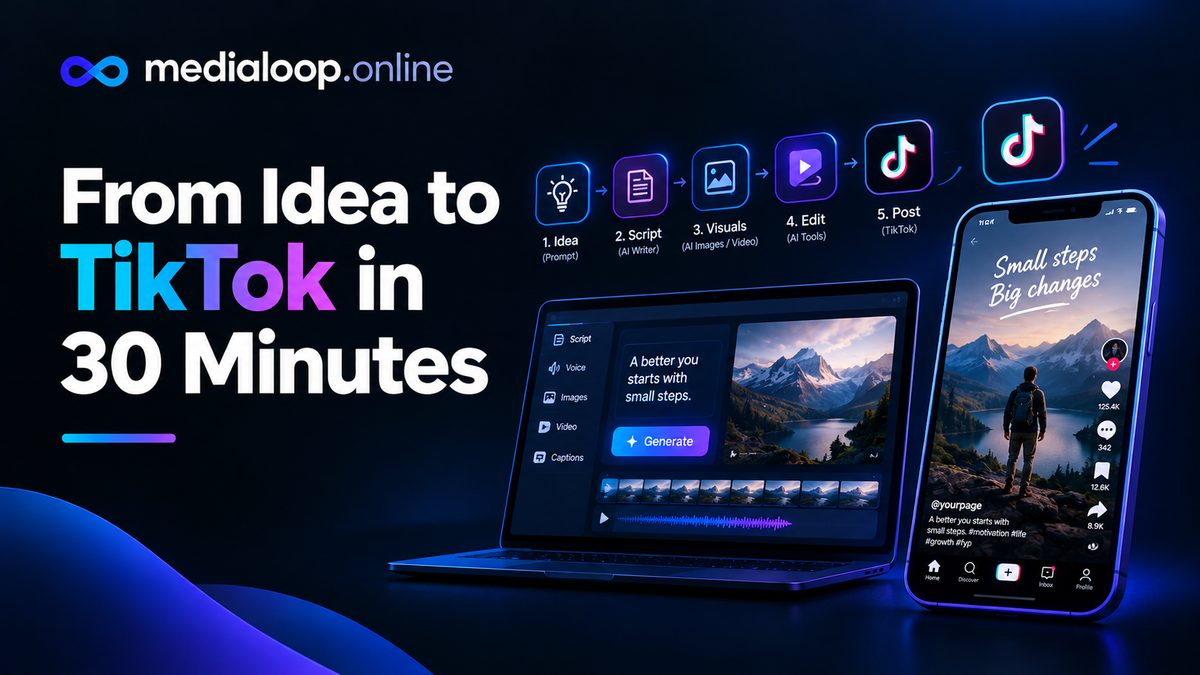
From Idea to TikTok in 30 Minutes — AI Workflow
A complete 30-minute AI workflow from idea to published TikTok: scripting, AI visuals, voiceover, editing, captions, and posting. Step-by-step for 2026.
Faceless YouTube videos with AI have become one of the most realistic paths for a solo creator to publish consistently without a camera, a studio, or being on screen. The entire pipeline — script, voiceover, visuals, captions, editing — can now run on software you already own, with AI filling the parts that used to require a production crew.
This is a workflow guide, not a hype piece. You'll get the actual steps, the tool types that fit each one, and the honest caveats nobody selling courses will tell you: YouTube's policies on repetitive mass-produced content are real, and faceless channels live or die on originality and value, not on how automated the pipeline is. Treat this as a production manual. The AI is your crew, but you're still the director — and that part matters more than any tool.
Here's the full 2026 workflow, from niche to upload.
Everything downstream depends on this decision, so don't rush it. A faceless channel works when it owns a clear lane and a repeatable format. Ask three questions:
Practical tip: spend a week watching faceless channels in candidate niches and note which formats hold your attention.
The script is the video. A great voiceover and slick visuals cannot rescue a weak script, and this is where most faceless channels quietly fail.
What to do: Write a full narration script before touching any video tool. Aim for roughly 130–150 words per minute of finished video — a 10-minute video needs a 1,300–1,500 word script. Structure it like this: a hook in the first 30 seconds that states the payoff ("By the end of this video you'll know..."), clear sections with transitions, and a closing that tells the viewer what to do or think next.
Tools that fit: You can draft with any text AI assistant, but do your own research and rewriting. AI-drafted scripts tend toward generic phrasing ("in today's fast-paced world...") that viewers instantly recognize. Use AI for outlining, summarizing sources, and tightening sentences — then put the script in your own voice. A simple trick: read it aloud once. If you'd never say a sentence in real conversation, cut it.
Honest caveat: This is the step where YouTube policy enters the picture. YouTube's stance on repetitive, mass-produced content is that it can be demonetized or suppressed. If your "workflow" is generating 50 near-identical scripts with one prompt and publishing them daily, you're building a channel the platform actively dislikes. Original research, original structure, and genuine value per video are what separate a monetizable channel from spam. See Step 6 and the monetization section for more.
You don't need a microphone or a recording space anymore. Modern AI voices are good enough that most viewers won't notice — provided you pick the right voice and pace it well.
What to do: Paste your finished script into an AI voiceover tool and generate the narration. Then listen to the full thing before building the video. Check pacing: rushed narration kills retention, and flat, monotone delivery signals "bot" to the listener. Most tools let you adjust speed, add pauses, and regenerate individual sentences that sound off — use those features.
Tools that fit: Descript is a strong pick here — text-based editing with excellent AI voices and voice cloning, so you can fix a sentence by editing text instead of re-recording. VEED and Pictory both have built-in AI narration as part of their editors, which keeps everything in one place. For the full voiceover landscape, see [AI voiceover tools for video]](/ai-voiceover-for-video-tools/).
Practical tips: - Clone or pick one voice and keep it across your channel — consistency builds brand. Viewers recognize a channel's voice the way they recognize a host's face. - Aim for a slightly slower pace than feels natural while editing; it plays better on phones. - Save your voice settings. Re-doing voice choices per video wastes an hour you'll never get back.
Honest caveat: AI voices still struggle with emotional nuance — dramatic storytelling or comedy can fall flat. Match the voice to the content: documentaries and explainers work great; character-driven narration less so.
A faceless video needs something on screen for the full runtime. You have three main options, and most good channels combine at least two:
Option A — Script-to-video assembly. Tools like Pictory and InVideo take your script and automatically match it to stock footage, scene by scene. This is the fastest route: paste the script, get a rough cut with b-roll, then refine. Pictory is built for exactly this (script-to-video with stock and voiceover), and InVideo leans toward templated, fast social-style assembly — see the head-to-head in [Pictory vs InVideo]](/pictory-vs-invideo/).
Option B — AI-generated visuals. Tools like Runway and Luma generate footage from text prompts, and Pika offers quick generative clips. This gives you visuals no stock library has — useful for abstract topics, sci-fi storytelling, or anything where stock looks stale. The tradeoff: generative clips cost credits, take render time, and vary in quality. Use them for hero moments, not entire videos.
Option C — Curated stock and motion graphics. Don't underestimate plain stock footage with good editing. Restless cutting (new shot every 2–4 seconds), punch zooms, and a consistent grade do more for watchability than any single fancy clip.
Captions are no longer optional. A large share of YouTube viewing happens with sound off or in noisy environments, and styled captions measurably improve retention.
What to do: Generate auto-captions, then style them to your channel's brand — clean sans-serif, high contrast, positioned so they never fight the visuals. Beyond captions, this is your final polish pass: normalize audio levels, add subtle background music (royalty-free or licensed), trim dead air at the start, and check that every scene transition lands on a beat of the narration.
Tools that fit: VEED is the natural fit here — browser editor with strong auto-captioning and text styling. Descript's text-based editing makes trimming and reordering scenes fast. OpusClip is better known for short-form clipping, but its caption engine is useful if you're also cutting Shorts from the video. Syllaby can fit into the loop if you want script assistance alongside assembly.
Practical tips: - Background music should sit 10–15 dB under the voiceover. If you notice the music, it's too loud. - Watch the whole video once at 1x speed before export. Every faceless creator skips this; every viewer notices. - Export in 1080p minimum, 30fps, and keep a project file — you'll want to re-cut the best performers into Shorts later.
The video is made; now it has to get clicked. Faceless channels often underinvest here, which is ironic, because the thumbnail and title do most of the work.
What to do: - Title: Lead with the viewer's question or outcome, not your topic. "Why You're Always Tired (It's Not Sleep)" beats "A Video About Fatigue." Keep it under 60 characters so it doesn't truncate, and never mislead — clickbait that the video doesn't deliver earns fast drop-offs and algorithm punishment. - Thumbnail: High contrast, 2–4 words max, one clear focal image, readable at phone size. Faceless doesn't mean faceless thumbnails — bold typography and striking imagery outperform vague montages. Make two versions and test them if your channel qualifies for thumbnail testing. - Description and tags: Write a real 2–3 sentence description with your main keyword early, add chapters (timestamps) for anything over 5 minutes — chapters genuinely help retention on longer videos — and include a subscribe CTA only where it fits naturally.
Tools that fit: VEED handles the upload-adjacent editing side (captions, final trims). For thumbnails, most faceless creators use general design tools — the principle matters more than the app: one idea per thumbnail, readable at 120 pixels wide.
Honest caveat: Upload cadence matters less than consistency. One good video per week beats five rushed ones, both for viewers and for YouTube's systems. Set a schedule you can sustain for a year and treat missed uploads as bugs, not features.
Yes, faceless channels can get into the YouTube Partner Program and earn ad revenue — but the bar is originality and value, not production automation.
The realistic picture:
The honest summary: a faceless AI workflow is a production advantage, not a money printer. It lowers the cost of each video so you can afford to be consistent. Consistency plus originality is the whole game.
With the workflow above, a 10-minute video typically takes 3–6 hours once you're practiced: 1–2 hours on the script, 30 minutes on voiceover, 1–2 hours assembling visuals, and an hour on captions, polish, and the thumbnail. The script is the longest and least automatable part — that's normal and healthy.
Yes, when they meet YouTube's Partner Program requirements and publish original content. Faceless channels get rejected or demonetized when the content is repetitive, mass-produced, or adds no original value. Original scripts, genuine research, and consistent quality are what keep a faceless channel eligible.
There's no single best tool — the workflow needs a voiceover tool, a visual assembly tool, and an editor. A common stack is Descript or VEED for voiceover and captions plus Pictory or InVideo for script-to-video assembly. See [the 2026 AI video generator roundup]](/best-ai-video-generators-2026/) for how the options compare.
Generally yes, but with two conditions: don't violate anyone's rights (no copyrighted characters, real people's likenesses used deceptively, or trademarked material), and disclose AI-generated content where YouTube requires it. YouTube has disclosure rules for realistic AI-generated content — check the current policy in YouTube Studio when you upload.
One to two well-made videos per week is the sustainable target for most solo creators. Daily uploading only works if quality doesn't drop — and quality drops are exactly what YouTube's repetitive-content policy penalizes. Consistency over months matters far more than burst output.
No. Many successful channels are entirely faceless with AI or stock voiceover. What viewers need is a reason to watch: useful information, good storytelling, or genuine entertainment. The face is optional; the value isn't.
Links below may earn us a commission at no extra cost to you.
A complete 30-minute AI workflow from idea to published TikTok: scripting, AI visuals, voiceover, editing, captions, and posting. Step-by-step for 2026.
10 copy-paste AI video prompts for Reels and TikTok: hooks, transitions, product shots, and text overlays that work on short-form in 2026.
VEED vs Descript compared honestly: browser-based AI editing vs text-based video editing. Features, pricing, and which editor fits you in 2026.